
 Continue With Google
 continue with facebook



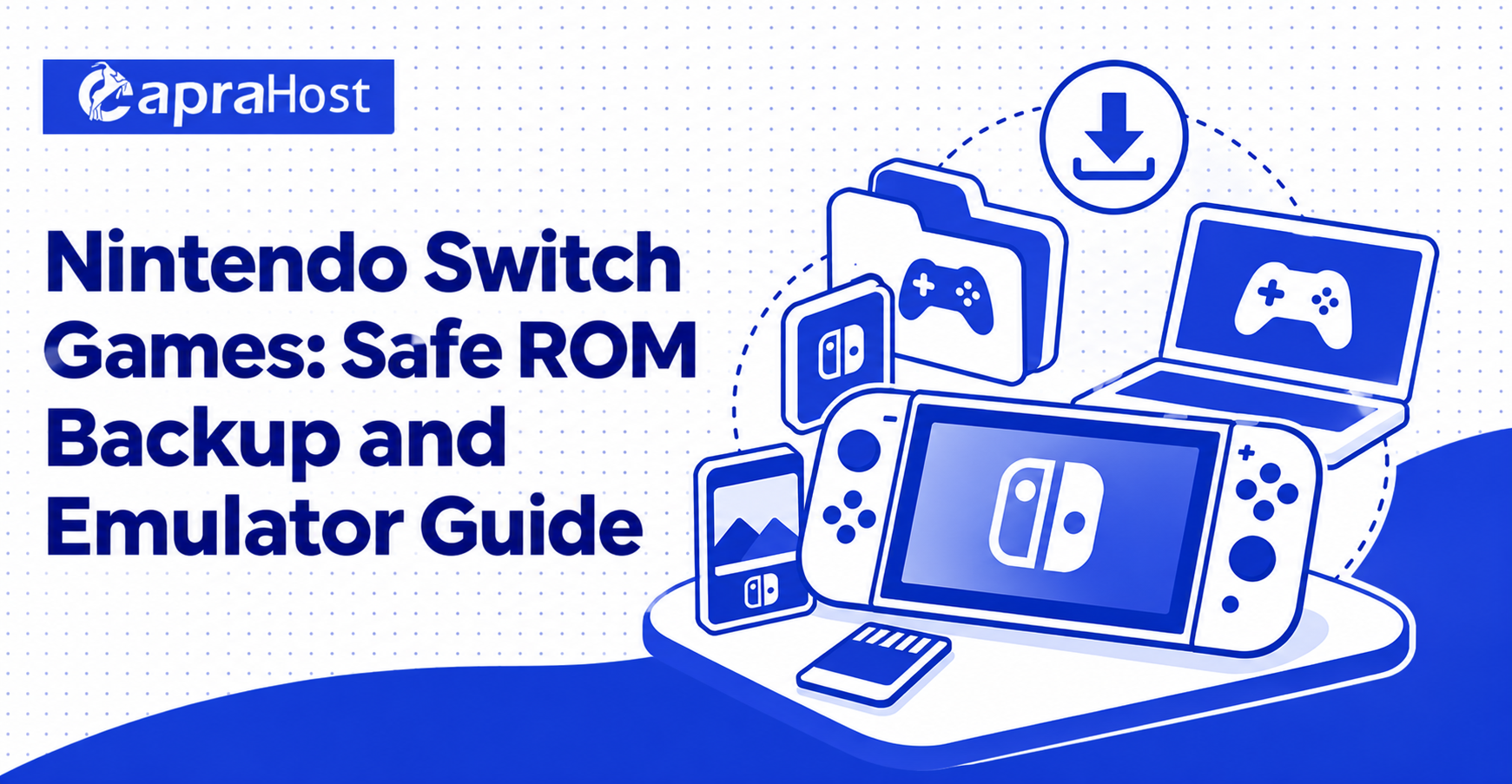
Nintendo Switch games cover everything from compact puzzle adventures to large role-playing worlds, competitive racing, strategy, fitness, and local multiplayer. Players can buy physical game cards or digital editions, expand console storage, download official updates, and preserve supported save data through platform features.
Discussions about game files and emulation require extra care. Terms such as ROM, NSP, and XCI describe technical formats, but a file format does not make a copied commercial game legal or safe. Ownership, copyright law, platform terms, technological protection measures, and the source of each file all matter. This guide explains the formats and compatibility concepts at a high level while directing readers toward authorized games, official storage tools, homebrew, and lawful preservation practices.
Nintendo Switch Games
Nintendo Switch games are software titles designed for the original Nintendo Switch family, including the standard console, Nintendo Switch Lite, and Nintendo Switch OLED Model. Many releases support more than one play style, allowing users to move between handheld, tabletop, and television modes, although available modes and controller options differ by title.
The official product page for a game is the most reliable place to confirm its publisher, release date, age rating, supported languages, number of players, download size, controller modes, online requirements, and save-data features. These details can change through updates or regional releases, so a current store listing is more useful than a copied specification table on an unrelated download page.
Physical and Digital Game Editions
Physical games arrive on licensed game cards and can usually be used by inserting the card into a compatible console. Some physical releases still require updates or additional downloads. A box may also contain a download code instead of the complete game, so buyers should read the packaging carefully.
Digital games are licensed through a Nintendo Account and downloaded from an authorized store. They are convenient because there is no card to swap, but they require enough internal or microSD storage. Account access, console registration, regional availability, and internet checks can affect how digital purchases are downloaded or used on another system.
Save Data and Installed Game Data
Save data and game-installation data are different. On the original Nintendo Switch family, save data is stored in the console’s system memory and cannot be copied to a microSD card. Downloadable software, updates, downloadable content, screenshots, and videos can use supported microSD storage.
Archiving or deleting downloaded software normally leaves its save data intact, but deleting a user profile can also delete save data associated with that user. Most supported titles offer cloud backup through a Nintendo Switch Online membership, while some games do not. Check the product listing before assuming a specific game supports cloud saves.
Latest Nintendo Switch Games
The newest games should be presented through verified release information rather than an automatically generated list labeled “latest.” Release schedules vary by region, delays happen, and a title may launch digitally before receiving a physical edition. Always confirm the date through Nintendo or the responsible publisher.
How to Verify a New Release
Begin with the official product page. Confirm the complete title, publisher, release date, platforms, region, rating, supported languages, play modes, and required storage. If the publisher announces a delay or patch, use the announcement date and link directly to the source rather than silently changing old information.
The official Nintendo game store provides authorized product listings and purchase options. A normal Markdown link such as this one does not contain a nofollow attribute, although the publishing platform can still apply its own link policy when the article is rendered.
Updates, Editions, and Downloadable Content
A base game, deluxe edition, expansion pass, individual DLC pack, and free update are not interchangeable. A useful guide names each edition clearly and explains whether extra content is included on the game card, delivered as a download code, sold separately, or limited to a subscription.
Version numbers should come from the console’s software information or an official update page. Never assume that a higher number shown in a filename is authentic. Renamed archives can contain an old build, unrelated content, or malicious software.
Browse Nintendo Switch Games by Genre
Genre pages help players find suitable games without relying on download-oriented search terms. A strong category page explains what defines the genre, highlights different play styles, and links to authorized product pages or detailed reviews.
Action, Adventure, and Platform Games
Action games emphasize timing, movement, and combat, while adventure games focus more heavily on exploration, characters, and puzzles. Platform games test jumping and navigation through designed stages. Many modern releases blend all three, so filters for difficulty, local co-op, accessibility, and average session length can be more helpful than one broad label.
Role-Playing and Strategy Games
Role-playing games usually feature character growth, equipment, quests, and story choices. Strategy games emphasize planning, resource use, positioning, or turn-based decisions. Players should check text size, language support, save options, online requirements, and expected campaign length before purchasing a large title.
Racing, Sports, Simulation, and Party Games
These genres are often chosen for multiplayer sessions, but the number of supported players can differ across one console, local wireless, and online play. A product may support eight online players while allowing only four on one system. Controller requirements, paid memberships, and guest-account rules should be stated separately.
Puzzle, Family, and Relaxed Games
Puzzle and family-oriented games can support short sessions and shared play, yet age rating alone does not describe difficulty. Guides should discuss reading level, control complexity, assist modes, motion controls, color options, and whether each player needs a separate controller.
Nintendo Switch ROM Formats Explained
The word ROM is often used loosely for a copied game file. Technically, different containers and packages serve different purposes, and none of them grants permission to distribute copyrighted software. Nintendo states that unauthorized copies offered through third-party file hosts are pirate copies. Local laws may also restrict copying or bypassing technological protection measures, even when someone owns a physical game.
This section identifies common terms so readers can understand documentation and diagnose their own lawfully obtained homebrew or authorized data. It does not provide copyrighted games, system keys, firmware, or instructions for bypassing console protections.
What Is an NSP File?
NSP is commonly associated with installable Nintendo Switch content packages. Depending on context, a package may represent a game, update, DLC, or other content. Commercial packages are protected content; finding one on a public file host does not make it authorized.
An extension can also be forged. A file named with .nsp may be incomplete, modified, or something else entirely. Do not execute tools or grant system access merely because a filename appears familiar. For ordinary players, authorized downloads should be managed by the console and official account services.
What Is an XCI File?
XCI is commonly used to describe a cartridge-image container. It is often discussed in preservation and emulator communities, but distributing a commercial cartridge image without the rights holder’s permission creates copyright concerns. Some jurisdictions may also limit personal copying or circumvention.
Researchers and preservationists should document provenance, ownership, applicable permissions, hashes, and access controls. Publicly sharing the resulting commercial image is different from maintaining a restricted archival record or working with freely licensed homebrew.
What Are NSZ and NRO Files?
NSZ generally refers to a compressed form associated with Switch content packages. Compression changes storage and transfer characteristics; it does not change the copyright status of the underlying material.
NRO commonly refers to an executable format used by Switch homebrew. Homebrew can include original games, utilities, ports, and experiments created independently of commercial releases. Use projects whose licenses and distribution permissions are clear, and obtain them from the developer’s authentic repository or project page.
Updates, DLC, and Version Numbers
Updates can fix bugs, improve performance, add features, or change compatibility. DLC can add characters, levels, story content, cosmetics, or other material. Both remain copyrighted content and should come through the console’s authorized update and purchase process.
Version numbers are meaningful only when tied to a verified source. Record the title, region, base-game version, update version, DLC version, and date when documenting a compatibility test. This prevents an issue affecting one build from being presented as universal.
Nintendo Switch Emulator Compatibility
An emulator recreates aspects of another system in software. Compatibility is not a simple yes-or-no property: a game may boot but have broken graphics, incomplete audio, unstable saves, timing problems, or poor performance. Results depend on the emulator build, operating system, graphics backend, driver, hardware, and tested game version.
Emulator projects can also close, change maintainers, or be copied by impersonators. Download software only from the authentic project channel, review its license and documentation, and verify checksums or signatures when the project publishes them. Avoid websites that bundle an emulator with commercial games, keys, firmware, or an unknown installer.
Windows and Linux Compatibility
Desktop performance depends heavily on strong single-thread CPU capability, graphics-driver quality, available memory, and the chosen rendering backend. A high-end graphics card cannot fully compensate for a CPU bottleneck, shader compilation, or an emulator-specific issue.
Compatibility reports should state the exact operating system, CPU, GPU, driver, emulator version, graphics backend, resolution, target frame rate, game update, and observed problem. Without those details, labels such as “perfect” or “fully playable” offer little diagnostic value.
macOS Compatibility
Support on macOS varies by emulator, processor family, graphics API, and project status. Apple silicon and Intel-based Macs have different performance characteristics, and advice written for one should not automatically be applied to the other.
Before installing anything, check whether the emulator maintains an official macOS build and whether the tested game is documented. Do not disable operating-system protections or run an unsigned package from an imitation download page merely to follow an outdated tutorial.
Android Compatibility
Android emulation places sustained demands on the processor, graphics driver, memory, battery, and cooling system. A game that launches on one device may overheat, throttle, display corrupted graphics, or crash on another device using a different chipset.
Check the emulator’s authentic documentation for supported processors and drivers. Use conservative settings, monitor temperature, and expect battery drain during long sessions. Avoid applications that demand unrelated access to contacts, SMS messages, accessibility services, device administration, or financial accounts.
Controllers and Input Mapping
Controllers may connect successfully while still using an incorrect button map. Configure movement, camera, triggers, sticks, motion input, and system buttons before beginning a long play session. Save a profile only after testing menus and gameplay.
Bluetooth can introduce latency or interference, while wired connections depend on device and operating-system support. When diagnosing input problems, test another cable or controller, disable duplicate input layers, and document the controller model and connection method.
How to Create Legal Game Backups
There is no universal rule stating that every owner may make a ROM backup. Copyright exceptions, private-copy rules, anti-circumvention laws, licenses, and platform terms vary by country. Nintendo’s published position is that uploading and downloading unauthorized copies is illegal and that authentic digital games should be acquired through authorized channels.
For that reason, this guide does not provide dumping instructions, decryption keys, firmware, exploits, or circumvention tools. Anyone conducting preservation work should obtain qualified legal advice for the relevant jurisdiction and keep activity within documented permissions.
Start With Ownership and Permission
Record how the game was acquired, who owns it, which license applies, and what the intended archival use is. Physical possession does not automatically grant a right to reproduce, modify, or distribute the software. A digital purchase may also be governed by account and platform terms.
The clearest preservation material is software explicitly released under a license permitting copying, such as open-source or freely distributable homebrew. For commercial software, use authorized redownload, transfer, archive, and cloud-save features instead of assuming an unrestricted copying right.
Keep Backups Private and Documented
Where a particular backup is permitted, restrict access to the authorized user or research group and document provenance, permissions, dates, versions, and integrity hashes. Do not upload commercial images to public hosts or include them in emulator bundles.
Documentation should distinguish a metadata record, a save backup, a configuration export, and a full copyrighted game image. These items have different technical purposes and legal implications.
Protect Accounts and Personal Data
Never share account credentials, console identifiers, tickets, certificates, encryption keys, or files containing personal information. A public package that includes unique console data can expose the owner to account compromise or platform enforcement.
Use strong account security, enable available sign-in protections, and store recovery information separately. If a tool asks for an account password outside an official sign-in flow, stop and verify the software before continuing.
Nintendo Switch Game Requirements
Requirements depend on whether the game is running on original hardware or being evaluated in a lawful research environment. On the console, the main concerns are compatibility, free storage, controller support, account requirements, online membership, and accessories. In emulation research, hardware and driver demands vary by game and software version.
Console Storage Requirements
Check the product listing for download size, then leave additional room for updates, DLC, screenshots, and temporary installation data. On the original Switch family, supported microSD cards can store downloaded software, updates, DLC, screenshots, and videos, but not save data.
Save data remains in system memory. If space is low, archiving software can free storage while preserving its menu icon and save data. Confirm cloud compatibility before deleting a profile or resetting a console, because not every title supports cloud backup.
Desktop Research Requirements
Avoid publishing one generic specification table for every game. A meaningful requirement should identify a tested resolution and frame-rate target, emulator version, game version, operating system, CPU, GPU, memory, storage, driver, and rendering backend.
Minimum requirements may only mean that a title launches, while recommended requirements should define the expected experience. Shader compilation, large open areas, multiplayer simulation, and graphics effects can produce different bottlenecks even among games with similar file sizes.
Network and Account Requirements
Digital purchases, redownloads, updates, online multiplayer, subscription benefits, and cloud saves can require an internet connection and a Nintendo Account. Some games also require a paid online membership for network play, while free-to-play titles or local modes may follow different rules.
Do not assume that “offline” means no initial connection is ever needed. Check the official product description for each title and edition, especially when using a non-primary console or subscription-based content.
Common Setup Problems and Fixes
Good troubleshooting changes one variable at a time and begins with reversible actions. Record the original settings, protect save data, and use authentic documentation before clearing storage, reinstalling software, or changing system files.
A Game Will Not Download or Update
Confirm the account owns the content, the console has enough free space, the network is stable, and Nintendo’s services are available. Restart the console and router, then retry through the authorized store or update menu.
If storage is full, archive unused software or move supported game data between internal and microSD storage. Do not delete a user profile as a storage shortcut, because doing so can remove associated save data.
The Console Does Not Recognize the microSD Card
Power the console off before removing or reinserting the card. Confirm that the card type and capacity are supported, inspect it for physical damage, and test whether the console requests a system update for the format.
Back up accessible screenshots and videos before formatting. Game save data will not be on the card, but downloaded software and media can be erased. Counterfeit storage often reports a false capacity and can corrupt files, so buy from a trustworthy retailer.
Performance Is Slow or Inconsistent
On original hardware, install the latest supported system and game updates, close and reopen the software, restart the console, and check for heat or storage errors. Confirm that the issue is not limited to one location or known game bug.
In an emulator test environment, record the current configuration before changing it. Update graphics drivers from the hardware manufacturer, use a supported rendering backend, clear only caches the project documentation identifies as safe, and compare against a compatibility report for the same build.
Graphics, Audio, or Shader Problems Appear
Visual corruption can come from a driver bug, unsupported graphics feature, cache issue, emulator regression, or mismatched game update. Audio crackle can result from timing problems, CPU limits, or buffer settings.
Capture a short, non-infringing description of the issue and reproduce it with a consistent save point. Report the operating system, hardware, driver, emulator build, game version, settings, and log through the project’s official issue process without attaching copyrighted game files or keys.
A Controller Connects but Does Not Work Correctly
Remove duplicate controller profiles, verify the selected input device, calibrate sticks, and map each button again. Test wired and Bluetooth modes separately if both are supported.
Some games use motion controls or unusual controller arrangements. Check the official product page and the emulator’s input documentation before assuming the controller is defective. Third-party remapping tools can also conflict with an emulator’s own input layer.
Save Data Is Missing
First, make sure the correct user profile is selected. Save data is generally tied to a user and stored in system memory, not on the game card or original Switch microSD card. Reinstalling a game does not automatically recreate a deleted user save.
For a supported title with an active membership, check Save Data Cloud from the software menu or system settings. Compare timestamps carefully because downloading a cloud save can overwrite the current local data. If the game does not support cloud backup and the local save was deleted, recovery may not be possible.
Frequently Asked Questions
These answers clarify the most common questions about game formats, storage, authorized purchases, preservation, and emulation. They provide general information rather than legal advice for a particular country or situation.
Are Nintendo Switch ROM Downloads Legal?
Downloading an unauthorized copy of a commercial game is not made legal simply because the downloader owns a cartridge or uses an emulator. Nintendo states that unauthorized copies on third-party hosts are pirate copies. Exact legal rules and exceptions vary, so consult qualified local advice rather than relying on a download-page disclaimer.
Does Owning a Cartridge Allow a ROM Backup?
Ownership alone does not create a universal right to copy or bypass protection. Private-copy exceptions, anti-circumvention rules, license terms, and preservation provisions differ by jurisdiction. This guide therefore does not claim that cartridge ownership automatically permits creating an XCI or any other image.
Where Can Nintendo Switch Games Be Downloaded Safely?
Use Nintendo’s official store or an authorized retailer. For homebrew, use the creator’s authentic repository or project page and confirm the license permits distribution. Avoid third-party packages that combine commercial games, keys, firmware, emulators, or unknown installers.
Can Nintendo Switch Save Data Be Stored on a microSD Card?
On the original Nintendo Switch family, no. Save data is stored in system memory. Supported microSD cards can hold downloadable software, updates, DLC, screenshots, and videos. Many games support Save Data Cloud through Nintendo Switch Online, but exceptions exist.
What Is the Difference Between NSP and XCI?
NSP is generally associated with installable content packages, while XCI is generally associated with cartridge-image containers. Both can contain copyrighted commercial material, and the extension does not establish authorization, authenticity, or safety.
Is Emulation the Same as Piracy?
Emulation and copyright infringement are related but distinct concepts. An emulator can have legitimate uses such as interoperability research or running freely licensed homebrew. Problems arise when users obtain unauthorized games, protected firmware, keys, or circumvention material. Laws and court decisions vary, so analyze the complete activity rather than the emulator label alone.
Why Do Compatibility Results Differ Between Computers?
Results change with CPU architecture, GPU, driver, operating system, emulator build, rendering backend, game update, and settings. Thermal limits and background applications also matter. A trustworthy report lists the full test environment instead of promising universal performance.
How Can Game Information Be Verified?
Use the official Nintendo or publisher product page for release date, publisher, languages, player count, rating, download size, online features, and purchase options. Use official patch notes for version changes and record the date on which the details were checked.
What Is the Safest Way to Protect Game Progress?
Keep the correct user account secure, use manual in-game saves where available, and enable Save Data Cloud for supported titles through Nintendo Switch Online. Before transferring systems or downloading a cloud save, compare the local and cloud timestamps because restoring one can overwrite the other.
Conclusion
Nintendo Switch games are available across physical cards and authorized digital channels, with genres and play styles suited to solo adventures, competitive sessions, and shared family play. Reliable game guides should verify facts through primary sources, distinguish base games from updates and DLC, explain storage clearly, and avoid misleading promises about universal emulator compatibility.
ROM-related terms such as NSP, XCI, NSZ, and NRO are useful technical vocabulary, but they do not determine whether a file is lawful or safe. Do not download unauthorized commercial games, encryption keys, protected firmware, or unknown installers. Use official purchasing, redownload, storage, transfer, and cloud-save features wherever possible, and reserve preservation work for material and methods supported by clear permission and applicable law.