
 Continue With Google
 continue with facebook



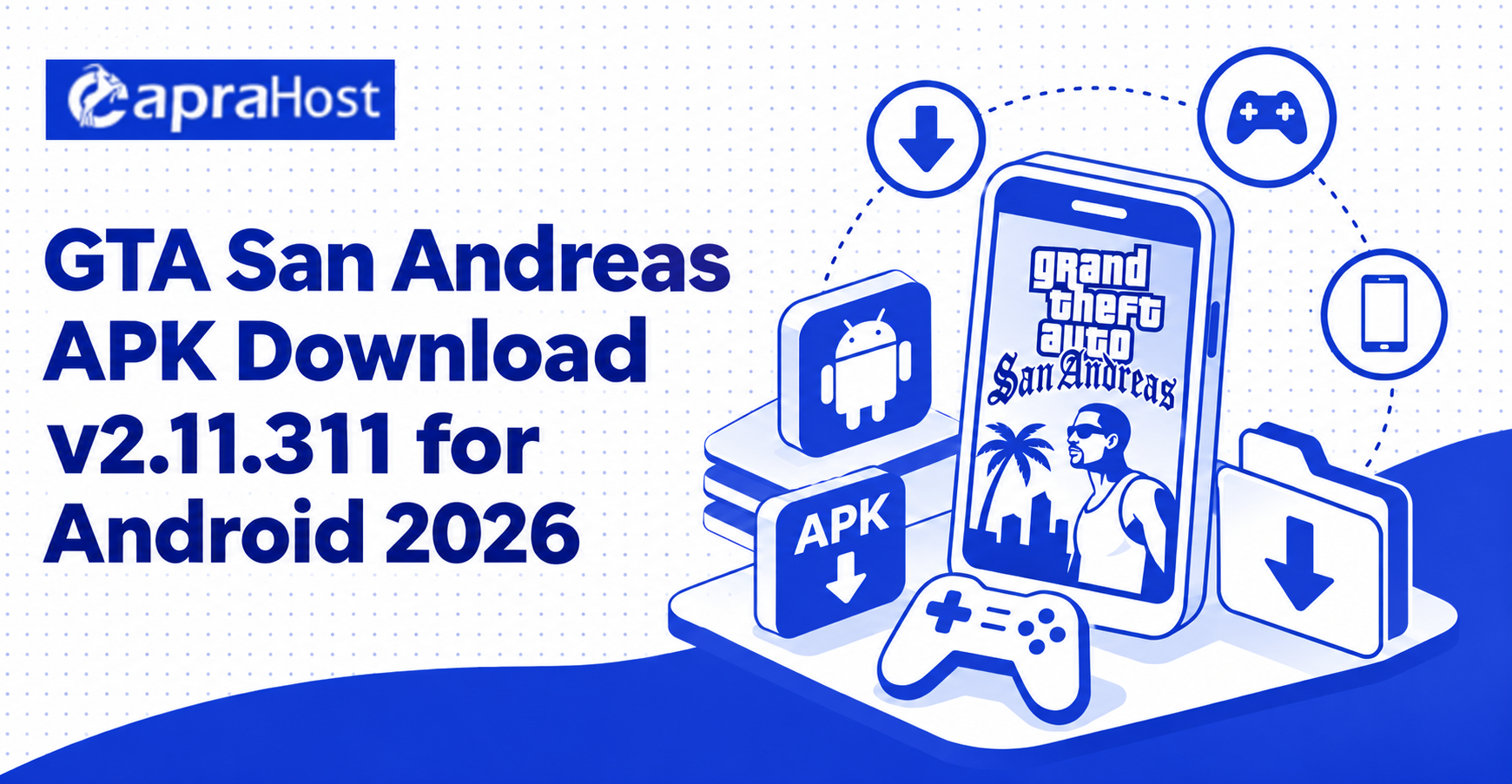
GTA San Andreas brings Carl “CJ” Johnson’s journey across Los Santos, San Fierro, and Las Venturas to Android phones and tablets. The mobile edition preserves the large open world, story missions, vehicles, side activities, and character progression of the original game while adding touch controls and adjustable graphics for portable play.
The safest way to get the game is through its authorized store listing. Files promoted as free, modified, or pre-unlocked copies may be altered, outdated, illegal to distribute, or harmful to the device. This guide explains the official Android release, its features, storage needs, installation process, and common fixes without relying on unsupported security claims.
GTA San Andreas APK
GTA San Andreas APK is a common search term for the Android edition of Grand Theft Auto: San Andreas. An APK is the application package Android uses to install an app. Although every Android app ultimately uses this format, most players do not need to find or install a separate APK file because Google Play manages the package and additional game assets automatically.
The official mobile edition is published by Rockstar Games. According to the official mobile update notes, Android version 2.11.311 was released on January 21, 2026, with a fix for a crash that could occur while downloading game assets. Version numbers found on third-party pages may refer to older builds, modified packages, or files that have not been verified.
GTA San Andreas APK Overview
The Android edition adapts the complete single-player adventure for mobile devices. Players guide CJ as he returns to Los Santos, reconnects with his family, and becomes involved in a conflict spanning the fictional state of San Andreas. The official store description promotes more than 70 hours of gameplay, mobile-optimized graphics, customizable controls, cloud-save support, and compatibility with selected controllers.
| Item | Verified information |
| Game | Grand Theft Auto: San Andreas |
| Android version | 2.11.311, released January 21, 2026 |
| Publisher | Rockstar Games |
| Original developer | Rockstar North |
| Mobile package name | com.rockstargames.gtasa |
| Platform | Android phones and tablets |
| Approximate required space | About 2.5 GB; extra free space is advisable during installation |
| Game mode | Single-player with offline play supported |
| Content rating | Mature 17+ on the US Google Play listing |
| Distribution | Paid app; price and availability vary by region |
Official Version and Package Identity
The package name helps distinguish the authorized Android application from unrelated files using a similar title or icon. Before installing or restoring a legitimate backup, confirm that the package is com.rockstargames.gtasa and that the publisher shown by the store is Rockstar Games. A matching filename alone does not prove that a downloaded file is authentic.
The version may change after a future update. Check the store listing and publisher’s update notes instead of treating a number copied from an unofficial download page as permanent. Players who already own the game can normally reinstall it from the same Google account through their Play Store library.
Story, Setting, and Age Rating
The story begins when CJ returns home after his mother’s death. He soon becomes caught between family problems, neighborhood rivalries, criminal organizations, and corrupt police officers. The adventure expands beyond Los Santos into the countryside, San Fierro, the desert, and Las Venturas.
This is not a children’s game. Its mature rating reflects violence, strong language, sexual content, blood and gore, and references to drugs. Parents and players should review the regional rating and store description before purchasing or installing it.
What Is GTA San Andreas APK?
The phrase can describe either the genuine Android application package or an unofficial copy distributed outside an authorized store. These are not equivalent. The official package is signed and distributed through an approved channel, while a third-party package may have been modified by an unknown person.
Android allows sideloading, but enabling installation from unknown sources reduces an important layer of protection. An altered APK may request excessive permissions, include advertising components, steal account data, fail signature checks, or stop working after an operating-system update. A promise such as “virus-free” is not evidence of safety unless the publisher, signature, origin, and file integrity can be independently verified.
Official APK Versus MOD APK
The official APK contains the release authorized by the publisher. A MOD APK changes the original application to advertise features such as unlimited money, unlocked weapons, cheat menus, or removed license checks. Those changes are not part of the standard mobile release.
Modified packages can corrupt saves, introduce crashes, prevent updates, violate the game’s terms, or contain unwanted code. They may also distribute copyrighted content without permission. Players who want a stable installation should use the official version and create manual saves before applying a major update.
APK and OBB Files Explained
The APK contains the app’s executable components and installation information. Larger Android games may also use asset files for audio, maps, textures, and other data. Older guides commonly call this additional data an OBB file and place it under an Android storage directory.
Modern store installations handle game assets automatically, and current Android versions restrict access to some storage folders. A legitimate Play Store installation should not require the player to download a random OBB archive or manually move files. Manual asset restoration should be limited to files the user lawfully owns and has backed up, with a folder structure that matches the installed package.
GTA San Andreas APK Features
The mobile edition is designed to keep the scale and freedom of San Andreas on a smaller screen. It combines the main narrative with optional missions, exploration, vehicle challenges, character customization, and activities distributed across three cities and the surrounding countryside.
Large Open World and Varied Missions
Players can travel through Los Santos, San Fierro, and Las Venturas as well as rural towns, forests, mountains, and desert areas. Story missions include driving, combat, stealth, races, robberies, and aircraft sequences. Taxi work, vigilante missions, races, gyms, casinos, collectibles, and property activities add variety outside the main story.
The game does not force constant mission progression. Players can explore, change CJ’s appearance, improve skills, earn money, buy properties, or experiment with different vehicles between story objectives.
Mobile Graphics and Display Options
The Android port includes remastered high-resolution graphics for mobile, lighting improvements, a richer color palette, and enhanced character models. Adjustable graphics settings let players trade visual detail for smoother performance on less powerful hardware.
Higher settings can increase heat, battery use, and frame-rate instability. If the game stutters, lowering resolution, shadows, reflections, or draw distance can be more effective than repeatedly reinstalling the app.
Touch Controls and Controller Support
Dual analog touch controls handle movement and camera input, while contextual buttons appear when relevant. The game offers multiple control layouts and customization options so players can reposition or resize on-screen controls.
Selected Bluetooth and USB controllers are also supported, although compatibility can vary by device, Android version, and controller mapping. Testing the controller before a long session is sensible because some accessories may connect correctly but map individual actions differently.
Offline Play and Save Options
The Google Play listing identifies the game as a single-player title with offline play. An internet connection is still needed for the initial purchase, download, asset retrieval, account checks, cloud synchronization, or updates. Once installation and any required setup are complete, the story can generally be played without a continuous connection.
Manual save slots remain important even when cloud saving is available. Keeping more than one save reduces the risk of losing progress after a failed mission, corrupted state, device migration, or application update.
Android System Requirements
Compatibility depends on the device model, operating-system version, chipset, graphics driver, memory, and current game build. Rockstar directs users to the live app-store listing for the latest requirements because a single hardware list can become outdated as Android and the game change.
Storage and Memory Planning
Rockstar’s support documentation states that the Android installation requires approximately 2.5 GB of space. The device should have more free space than the final installed size because Android needs temporary room to download, unpack, and verify files. Keeping at least several additional gigabytes free can also help with updates, saves, cached assets, and system stability.
A device with limited memory may close background apps or reload game assets more often. Before playing, close demanding applications and restart the phone if performance has degraded after a long period of use.
Device Compatibility Checks
Open the store page on the intended phone or tablet before purchasing. Google Play evaluates the account, country, device, and operating system and normally shows whether the current build is available for that device. This check is more reliable than a generic compatibility list copied from an older article.
A powerful processor does not guarantee perfect results if the graphics driver is unsupported. Conversely, a compatible mid-range device may run well at reduced visual settings. Recent OS updates can also affect storage access, controller behavior, and asset downloads.
How to Download GTA San Andreas APK Safely
Use the authorized store rather than a page offering an unlocked or free copy. The standard Markdown link below points directly to the official external listing and does not include a nofollow attribute:
Download Grand Theft Auto: San Andreas from Google Play
Check the Publisher and App Details
On the listing, verify the title, publisher, package identity, price, content rating, update date, and device compatibility. Read the data-safety section and recent reviews, but remember that reviews do not replace publisher verification.
Avoid pages that imitate a store button, trigger several redirects, demand notification access, ask for unrelated credentials, or package the game inside an installer. A genuine Play Store purchase does not require a third-party download manager.
Purchase and Install the Authorized Release
Sign in to Google Play with the account that will own the game, select the official listing, complete the purchase if required, and tap Install. Keep the device connected to a stable Wi-Fi network while the application and game assets download. Do not close the store or repeatedly interrupt the process unless it has clearly stalled.
After installation, launch the game and allow any legitimate in-app asset download to finish. Grant only permissions that are understandable and necessary. If Android displays a publisher, package, or security warning that does not match the official listing, cancel the installation and investigate the source.
How to Install GTA San Andreas APK and OBB Files
For most users, Google Play should manage both the application and its assets. Manual APK and OBB installation is not the preferred route and should never be used to bypass payment, licensing, or copyright restrictions. The guidance below is intended only for an authorized package and a lawful personal backup.
Install a Lawfully Obtained APK
First, confirm that the file came from an authorized source or was backed up from a copy the user owns. Check the package name and digital signature with a trusted verification tool. Back up existing saves before replacing an installed version because signature or version conflicts can make the app inaccessible.
If sideloading is genuinely required, Android may ask for temporary permission to install unknown apps from the selected file manager. Enable it only for that source, install the verified package, and turn the permission off afterward. Never disable broader device protections merely to force an installation.
Restore Lawfully Owned Game Assets
Only restore asset files that belong to the same legitimate version and package. Mismatched assets can cause a black screen, missing audio, repeated downloads, or crashes. Current Android releases may prevent ordinary file managers from writing to protected app directories, so an old OBB tutorial may no longer apply.
When possible, let the installed app download its own assets. If a lawful backup must be restored, follow the publisher’s current support guidance for that Android version rather than granting an unknown file manager unrestricted access to the device.
Launch and Verify the Installation
Start the game while connected to the internet so it can complete any first-run checks or asset retrieval. Confirm that the main menu loads, audio is present, a new game can start, and a manual save can be created. Do not delete the backup until the installation and save data have been tested.
If the application requests unusual access to contacts, SMS messages, accessibility services, device administration, or financial information, stop immediately. Those permissions are not reasonably explained by a single-player action game.
Common Installation Problems and Fixes
Most failures come from insufficient storage, an unstable download, incompatible files, device restrictions, or an outdated game build. Begin with reversible steps and preserve save data before clearing storage or uninstalling the application.
Download Stops or Game Assets Fail
Connect to stable Wi-Fi, disable aggressive battery saving for the duration of the download, and confirm that several gigabytes of internal storage remain free. Restart the device and retry the official download. Android version 2.11.311 specifically addressed a crash during game-asset downloading, so update an older authorized installation before attempting more invasive fixes.
If the download remains stuck, cancel it cleanly, clear only the Play Store’s temporary cache if appropriate, and begin again. Avoid mixing assets downloaded from different versions.
App Is Not Installed or Package Conflict Appears
An “App not installed” message can occur when an existing copy uses a different digital signature, the APK targets an incompatible architecture, the file is incomplete, or there is not enough temporary space. Do not overwrite an official installation with a modified package.
Back up accessible saves, remove the conflicting unauthorized build if it is safe to do so, and reinstall the owned version from the Play Store library. If the device is marked incompatible on Google Play, forcing an APK onto it may produce crashes even when installation succeeds.
Black Screen, Crashes, or Missing Audio
Restart the phone, close background apps, lower graphics settings, and make sure the game is fully updated. Check that all assets finished downloading and that Android has not moved or removed required data during a storage cleanup.
For persistent problems, load a manual save instead of using Resume, test a new game, and review the official support page for known issues. Reinstallation should be a later step because uninstalling can remove local saves that were not synchronized or backed up.
OBB Folder Cannot Be Accessed
Newer Android versions protect app-data locations through scoped storage. A file manager may therefore display an empty folder or deny write access even when the user owns the device. Granting broad permissions to an unfamiliar app is not a safe workaround.
Reinstall through Google Play and let the game retrieve its assets in the supported way. If restoring a lawful backup is essential, use platform-supported backup tools or current publisher instructions that apply to the specific OS version.
GTA San Andreas APK Pros and Cons
The Android release offers a large, well-known open world in a portable format, but its age and scale create trade-offs. The experience depends heavily on screen size, control preference, available storage, and device performance.
Advantages of the Android Edition
- The complete story and broad open world are available on a phone or tablet.
- Offline single-player gameplay is possible after installation and setup.
- Adjustable graphics help balance image quality and performance.
- Customizable touch controls support different screen sizes and preferences.
- Selected Bluetooth and USB controllers can provide more precise input.
- Manual saves and supported cloud features can help protect progress.
Limitations to Consider
- The game requires a large download and additional temporary storage.
- Touch controls may feel crowded during driving or combat.
- Performance varies across chipsets, graphics drivers, and Android versions.
- Long sessions can increase battery drain and device temperature.
- Older guides and asset packages may not work with current Android storage rules.
- Modified APK files introduce security, stability, update, and legal risks.
Frequently Asked Questions
These answers address common questions while distinguishing the authorized mobile release from unofficial packages. Store details and compatibility can change, so the live official listing remains the best final check.
What Is the Latest GTA San Andreas APK Version for Android?
Rockstar’s official update notes list Android version 2.11.311, released on January 21, 2026. A later version may appear after this article is published, so compare the number with the Play Store listing and official update notes before downloading or troubleshooting.
Is GTA San Andreas APK Free?
The standard Android edition is a paid game, although price and availability vary by region and may change during promotions. A site advertising a permanently free unlocked copy is not the same as the authorized release. Some subscriptions or bundles may offer a separate edition under their own terms.
Can GTA San Andreas Be Played Offline?
The official listing identifies offline play as supported for the single-player game. Internet access is still required for purchasing, downloading, installing updates, retrieving assets, and using online or cloud-related functions.
Does the Official Installation Need a Separate OBB Download?
Normally, no. Google Play and the game handle required assets during installation or first launch. A page insisting that users download an unrelated OBB archive should be treated cautiously, especially if the archive does not match the official package and version.
How Much Storage Does GTA San Andreas Need on Android?
Official support information estimates approximately 2.5 GB for Android. Keep additional internal storage free for temporary installation files, updates, saves, and normal system operation. The exact installed size can change with the version and device.
Is a GTA San Andreas MOD APK Safe?
Safety cannot be assumed. A modified package is changed by someone other than the authorized publisher and may contain unwanted code, altered permissions, broken updates, or unstable game assets. It can also raise licensing and copyright concerns. The official store release is the safer choice.
Why Does GTA San Andreas Crash While Downloading Assets?
Older builds had a known asset-download crash. Update to the current authorized version, confirm adequate free space, use stable Wi-Fi, restart the device, and retry. If the problem persists, consult official support before deleting saves or installing third-party files.
Can Existing Saves Be Kept After an Update?
Updates normally preserve saves, but no update is entirely risk-free. Create a manual save in more than one slot and use supported synchronization or backup options before updating, reinstalling, or changing devices. Avoid mixing saves from incompatible modified editions.
Conclusion
GTA San Andreas APK refers to the Android package for a large single-player adventure spanning Los Santos, San Fierro, Las Venturas, and the surrounding state. The official release offers mobile graphics settings, customizable controls, controller support, offline play, and the complete story, but it also needs substantial storage and compatible hardware.
For a reliable installation, use the authorized Google Play listing, verify the publisher and package identity, keep enough free internal storage, and allow the game to manage its own assets. Avoid unofficial MOD packages and unsupported claims of guaranteed safety. With the correct version and sensible performance settings, the Android edition remains a convenient way to experience CJ’s full journey on a mobile device.