
 Continue With Google
 continue with facebook




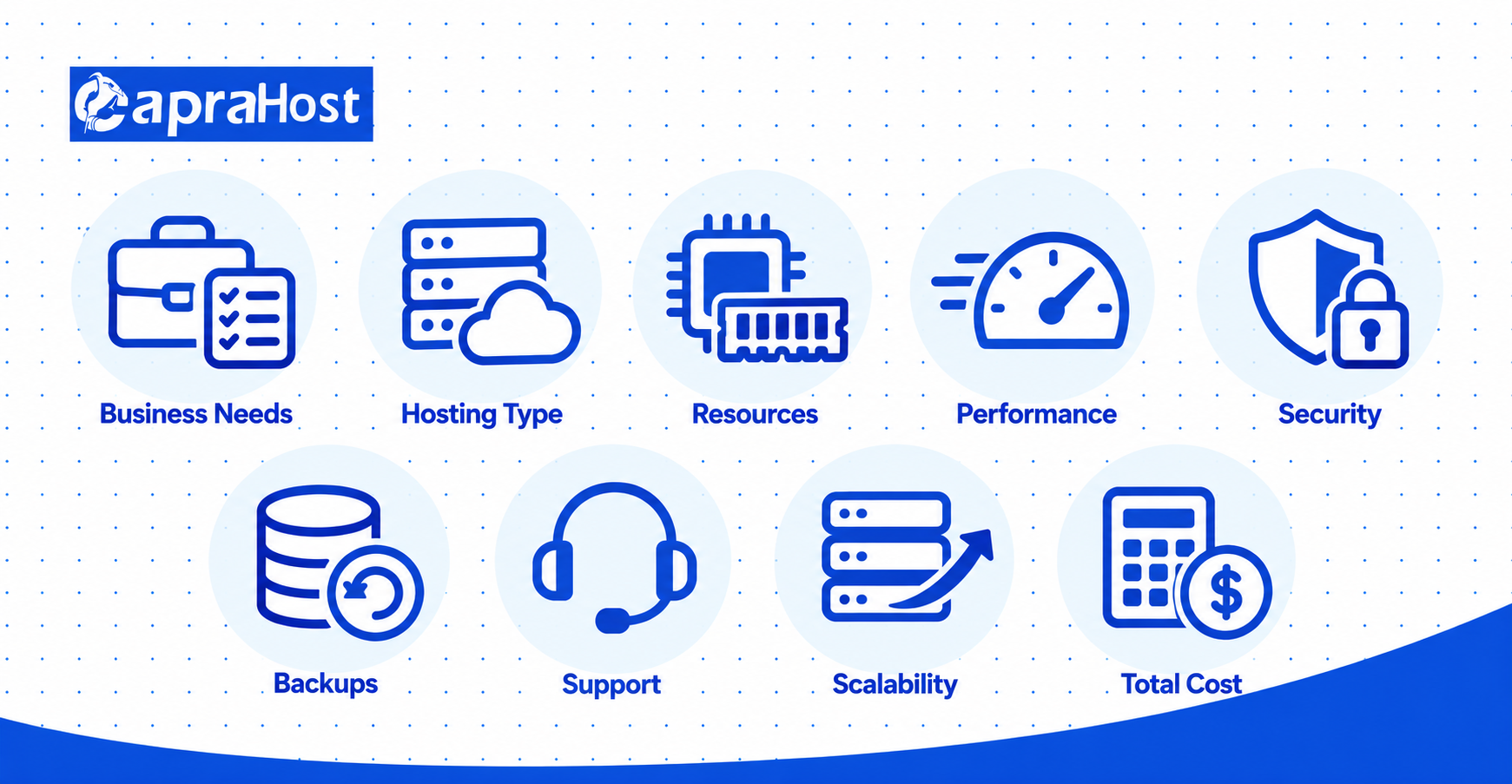
Choosing the right web hosting service helps your company maintain a fast, secure, and reliable website. Your hosting choice affects website speed, uptime, security, and customer experience. It also influences how easily your company can grow online.
Businesses can choose from shared hosting, VPS hosting, cloud hosting, and dedicated servers. Each option offers different resources, management responsibilities, and pricing structures. Understanding these differences helps you avoid paying for unsuitable hosting services.
This guide explains how to choose hosting services for your company in 9 practical steps. You’ll learn how to evaluate hosting types, server resources, security, technical support, and long-term costs. You’ll also discover common mistakes and important checks before purchasing.
What Is Web Hosting, and Why Does Your Company Need It?
Web hosting is a service that stores your company’s website files on a server and makes them accessible online. A hosting provider supplies the infrastructure required to deliver your website to visitors. Without hosting, customers cannot access your business website through its domain name.
When someone visits your website, their browser sends a request to the hosting server. The server responds with website content, including text, images, and application files. Server performance influences how quickly visitors receive that information.
According to the International Telecommunication Union, approximately 6 billion people used the internet in 2025, representing 74% of the global population. Businesses rely on website availability to reach online customers and provide digital services.
For example, a consulting company may need hosting for 10 service pages and a contact form. An e-commerce business requires additional support for product catalogs, payment processing, and customer accounts. These websites have different performance and security requirements.
Your company needs hosting that matches its website workload, available budget, and expected business growth.
Step 1: Understand Your Company’s Hosting Requirements
Start by identifying your website type, expected traffic, storage requirements, technical skills, and business goals. These factors determine which hosting service is suitable. Understanding your requirements also prevents unnecessary spending on server resources.
For example, a basic company website may operate efficiently on shared hosting. A growing online store may require VPS hosting for additional memory and processing capacity. Your decision should reflect actual website activity rather than company size alone.
Identify Your Website Type and Business Goals
Your website’s purpose determines which hosting resources and management features your company needs. A company information website usually requires fewer resources than a transactional platform. Identify the main activities visitors perform before comparing hosting plans.
For example, an accounting firm may operate 15 pages covering services, contact details, and appointments. An online retailer may require product searches, customer accounts, and secure checkout functionality. The second website creates more complex database and processing requirements.
Small company websites can often use shared hosting, while WordPress blogs may benefit from managed WordPress hosting. Growing e-commerce stores may require VPS hosting, depending on traffic and application performance. Custom business applications may need VPS or cloud infrastructure.
Choose hosting according to website functionality, software requirements, and expected customer activity.
Estimate Your Website Traffic and Storage Needs
Estimate monthly traffic, page views, file storage, and data transfer before selecting a hosting plan. Existing websites can use Google Analytics 4 to examine visitor activity. Server monitoring can provide additional information about resource usage.
For example, 10,000 page views transferring 2 MB each produce approximately 20 GB of monthly data transfer. Actual server transfer may differ because browser caching reduces repeated downloads. Product images, videos, and downloadable files can increase consumption.
Storage requirements include website files, databases, uploaded media, and application logs. A content-heavy website may need more disk space than a basic company website. Backup storage may also require additional capacity or separate storage services.
Estimate peak traffic alongside monthly totals because simultaneous visitors can increase server demand.
Consider Your Technical Skills and Future Growth
Your technical experience determines whether managed or unmanaged hosting is more practical. Managed hosting includes specified maintenance services from the provider. Unmanaged hosting requires greater involvement in server administration.
For example, a business without an IT administrator may prefer managed WordPress or managed VPS hosting. A software company may choose unmanaged VPS hosting for greater configuration control. Both options can work when their responsibilities are clearly understood.
Consider expected business growth over the next 12–24 months. Additional products, marketing campaigns, and customer accounts may increase server requirements. Choose a hosting plan with a practical upgrade path rather than purchasing excessive capacity immediately.
Step 2: Compare the Different Types of Web Hosting
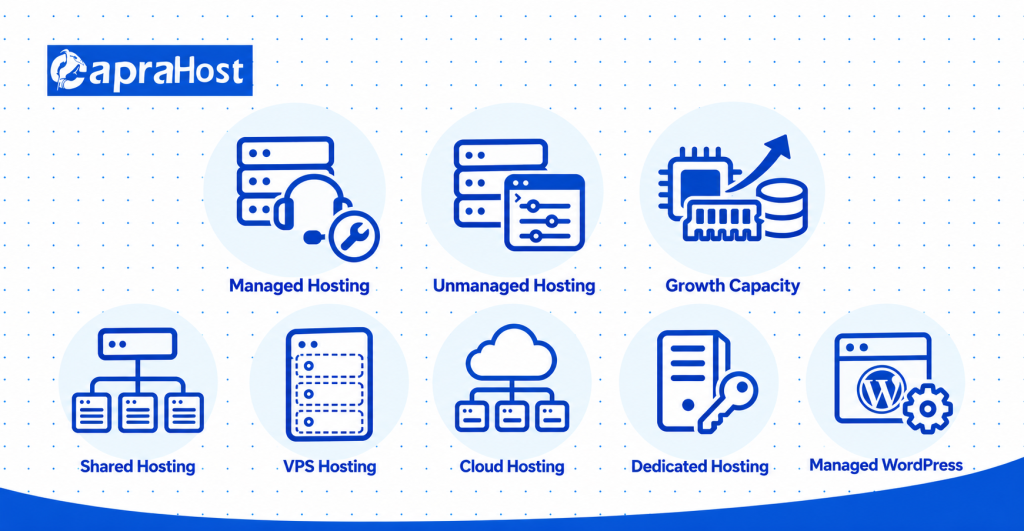
Compare shared, VPS, cloud, dedicated, and managed WordPress hosting before selecting your company’s hosting service. Each option offers different levels of resource allocation, server control, and technical management. The appropriate choice depends on your actual workload.
Shared hosting may suit smaller business websites, while VPS hosting provides allocated virtual server resources. Cloud infrastructure can support flexible deployment, and dedicated hosting provides exclusive physical hardware. Managed WordPress hosting focuses on simplified WordPress administration.
Shared Hosting: Best for Small and Starter Websites
Shared hosting allows multiple customer websites to use the resources of one physical server. The provider manages the shared environment and distributes infrastructure costs across accounts. This commonly makes shared hosting more affordable than VPS or dedicated hosting.
For example, a local consulting company with 10 informational pages may operate effectively on shared hosting. Its website may only require basic forms, images, and a content management system. Advanced server customization may not be necessary.
However, shared hosting plans can restrict CPU usage, memory consumption, and concurrent processes. These limitations may affect demanding applications during busy periods. Choose shared hosting when your website has modest requirements and does not need advanced server control.
VPS Hosting: More Control and Resources for Growing Businesses
VPS hosting provides an isolated virtual server with allocated computing resources and greater configuration flexibility. VPS stands for Virtual Private Server. Virtualization separates one physical server into independent virtual environments.
A VPS can provide assigned CPU, RAM, storage, and an independent operating system. For example, a growing WooCommerce store may test a configuration with 2 vCPUs and 4 GB RAM. Actual requirements depend on database activity, caching, and concurrent customers.
VPS hosting may suit growing WordPress websites, online stores, and custom business applications. It can also support software such as Node.js, Nginx, and PostgreSQL. Unmanaged VPS hosting usually requires knowledge of server updates, security, and troubleshooting.
Choose VPS hosting when your company needs allocated resources, custom configurations, or greater server administration control.
Cloud Hosting: Flexible Resources for Changing Traffic
Cloud hosting uses cloud computing infrastructure to provide configurable hosting resources for websites and applications. Some cloud environments support automatic scaling and distributed application deployment. The exact capabilities depend on the provider and selected service.
For example, an online retailer may need additional capacity during a promotional campaign. Suitable cloud infrastructure can help accommodate changing traffic. However, automatic scaling requires compatible software and appropriate configuration.
Cloud hosting costs may depend on computing usage, storage consumption, and data transfer. Businesses should review pricing before using advanced infrastructure services. Choose cloud hosting when flexible resource allocation matches your application’s workload and budget.
Dedicated Hosting: Full Server Resources for Demanding Websites
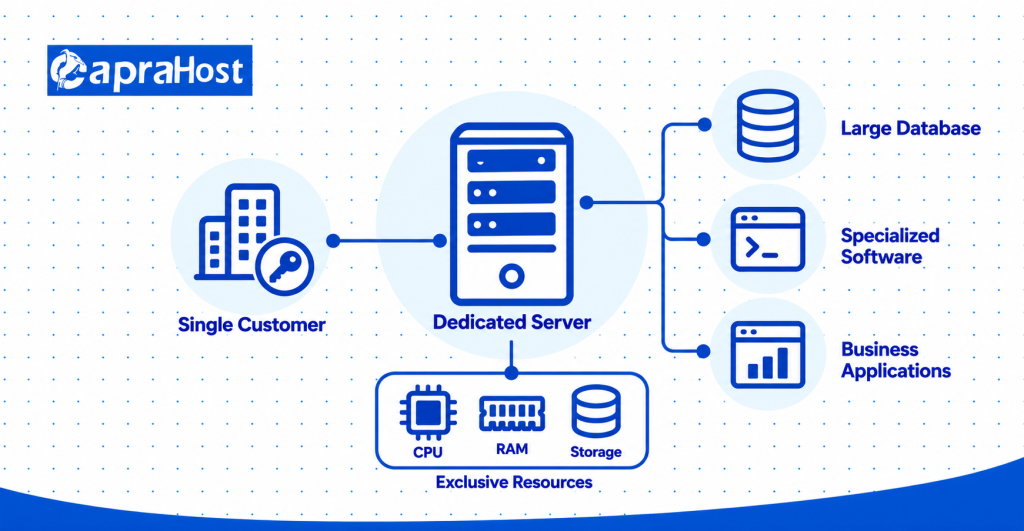
Dedicated hosting provides an entire physical server for one customer. Your company receives exclusive use of its physical computing resources. This can support specialized applications with substantial processing or hardware requirements.
For example, a company running a demanding database platform may require specific processor, memory, or storage configurations. Dedicated hardware can provide greater control over the physical server environment. However, it generally involves higher costs and technical management responsibilities.
Dedicated hosting does not automatically guarantee faster website performance. Application efficiency, server configuration, and network quality remain important. Choose dedicated hosting when exclusive physical hardware is a defined business requirement.
Managed WordPress Hosting: Simplified Website Management
Managed WordPress hosting provides WordPress-focused infrastructure with specified technical maintenance services. Depending on the plan, these services may include updates, caching, backups, and security monitoring. This reduces some routine administration work.
For example, a marketing agency publishing 20 articles monthly may prefer managed WordPress hosting. It can focus on website content rather than routine server maintenance. Support coverage and management responsibilities still vary between providers.
Some managed WordPress plans restrict custom software or particular plugins. Review compatibility before choosing a provider. Select managed WordPress hosting when simplified administration is more important than advanced server customization.
Step 3: Choose the Right Server Resources for Your Website
Choose CPU, RAM, storage, and bandwidth according to your website’s workload and expected growth. These resources influence server capacity, application performance, and hosting costs. Purchasing unnecessary capacity does not automatically improve website speed.
For example, a small company website may require fewer resources than an active WooCommerce store. Database operations, simultaneous visitors, and background processes can increase server demand. Use performance testing and monitoring wherever possible.
CPU and RAM: How Much Processing Power Do You Need?
CPU handles server processing, while RAM stores information required by active applications. Both resources influence how a website responds under load. Insufficient capacity can cause slower processing or application errors.
For example, WordPress uses processing power to execute PHP requests and perform database operations. WooCommerce may require additional capacity during simultaneous checkout activity. The number of visitors alone does not determine resource requirements.
A small VPS website might initially test 1–2 vCPUs and 1–2 GB RAM. A typical WordPress workload might test 2 vCPUs and 2–4 GB RAM. More demanding stores may require 4–8 GB RAM or additional CPU capacity.
These figures are illustrative starting configurations, not guaranteed requirements. Caching, application code, and database efficiency can substantially change resource consumption. Monitor actual usage before selecting a larger plan.
SSD vs. NVMe Storage: What Is the Difference?
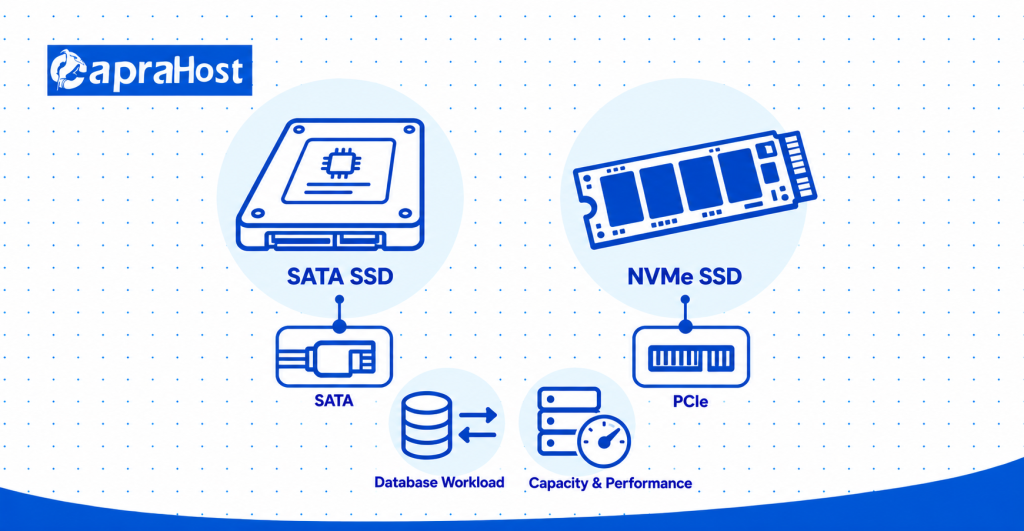
SSD storage provides fast data access, while NVMe enables high-performance communication with compatible storage devices. NVMe SSDs commonly provide higher throughput than SATA SSDs. Actual application performance depends on the complete server environment.
For example, a database-heavy business application may benefit from faster storage operations. A basic informational website may experience less noticeable improvement. Caching and efficient database queries also influence loading speed.
Calculate storage requirements for website files, uploaded images, databases, and application logs. Check whether backup storage is included separately. Choose storage based on capacity and measured application needs rather than advertised speed alone.
Bandwidth and Traffic Limits: What Should You Look For?
Bandwidth describes network transfer capacity, while monthly data allowances describe how much information your plan includes. These measurements are different. A fast network connection does not necessarily provide unlimited monthly transfer.
For example, a hosting plan may provide a 1 Gbps network connection with 1 TB monthly transfer. Customers can still encounter usage restrictions after reaching the plan’s allowance. Additional charges may apply.
Review terms such as unlimited bandwidth, unmetered transfer, and fair usage. Check resource restrictions and overage policies before purchasing. Choose a plan that supports expected traffic without unpredictable transfer costs.
How to Estimate Hosting Bandwidth
Estimate monthly transfer by multiplying page views by the average transferred page size. Then account for expected growth and changing visitor activity. This gives a practical starting point for comparing transfer allowances.
For example, 20,000 page views transferring 2 MB each require approximately 40 GB. Adding an illustrative 30% planning margin increases the estimate to 52 GB. Actual consumption depends on caching, media downloads, and application behavior.
Use hosting statistics to improve estimates once your website is operating. Monitor unusually large files and unexpected traffic increases. Adjust capacity using actual transfer data rather than relying permanently on initial calculations.
Why More Server Resources Do Not Always Mean Faster Performance
Additional CPU and RAM improve performance only when resource shortages cause the problem. A website can remain slow despite having substantial server capacity. Application optimization may be the more effective solution.
For example, oversized images can delay loading without exhausting CPU or memory. Inefficient database queries can also increase response times. Identify the performance bottleneck before paying for a server upgrade.
Step 4: Check Hosting Speed, Uptime, and Reliability
Evaluate hosting speed, uptime, and reliability using independent tests and written service guarantees. These factors affect website accessibility and customer experience. Advertised performance should be checked wherever practical.
A hosting provider may advertise fast servers without demonstrating how a particular website performs. Loading speed also depends on application software, caching, and network conditions. Compare test results under similar circumstances.
Website Loading Speed and Server Response Time
Website loading speed measures how quickly content appears, while server response time measures the delay before the server responds. Both help evaluate website performance. Neither measurement should be considered in isolation.
Google recommends Largest Contentful Paint of 2.5 seconds or less at the 75th percentile. This measurement evaluates when the largest visible content element finishes rendering. The guidance is explained in Google’s Core Web Vitals documentation.
For example, a product page may load slowly because of oversized images or inefficient scripts. Another website may experience delays caused by slow server responses. These problems require different technical solutions.
Use Google PageSpeed Insights, WebPageTest, or GTmetrix to identify performance issues. Test important pages such as the homepage, product pages, and checkout. Choose hosting that supports acceptable loading performance for your actual website.
Uptime Guarantees and Service Level Agreements
Uptime measures service availability, while a Service Level Agreement defines contractual performance commitments. SLA stands for Service Level Agreement. Hosting providers may advertise different uptime percentages.
A 99% uptime target allows approximately 7 hours and 12 minutes of downtime over 30 days. A 99.9% target allows 43.2 minutes, while 99.99% allows approximately 4.32 minutes. These calculations assume a 30-day period.
For example, an unavailable checkout page can prevent customers from completing purchases. A higher uptime target reduces the theoretical downtime allowance. However, SLA exclusions may affect how downtime is calculated.
Review maintenance exclusions, reporting rules, and compensation terms before purchasing. Choose a provider whose written availability commitments match your business requirements.
How to Verify a Hosting Provider’s Performance Claims
Verify hosting performance through independent monitoring and testing whenever a trial environment is available. A single speed test cannot establish long-term reliability. Use repeated measurements to identify performance changes.
For example, you could monitor a representative website for 30 days using UptimeRobot. WebPageTest can help investigate network and loading delays. Compare results from locations relevant to your customer base.
Also review documented outage history and customer experiences. Keep application configurations consistent during provider comparisons. Base your decision on measurable evidence rather than promotional claims alone.
Step 5: Evaluate Hosting Security and Backup Features
Evaluate hosting security by checking HTTPS encryption, firewalls, malware protection, automated backups, and recovery options. These measures help protect business information and maintain website availability. Security responsibilities also depend on your hosting plan.
According to Verizon’s 2025 Data Breach Investigations Report, ransomware appeared in 44% of the reviewed data breaches. This statistic highlights the importance of combining preventive security with recovery planning.
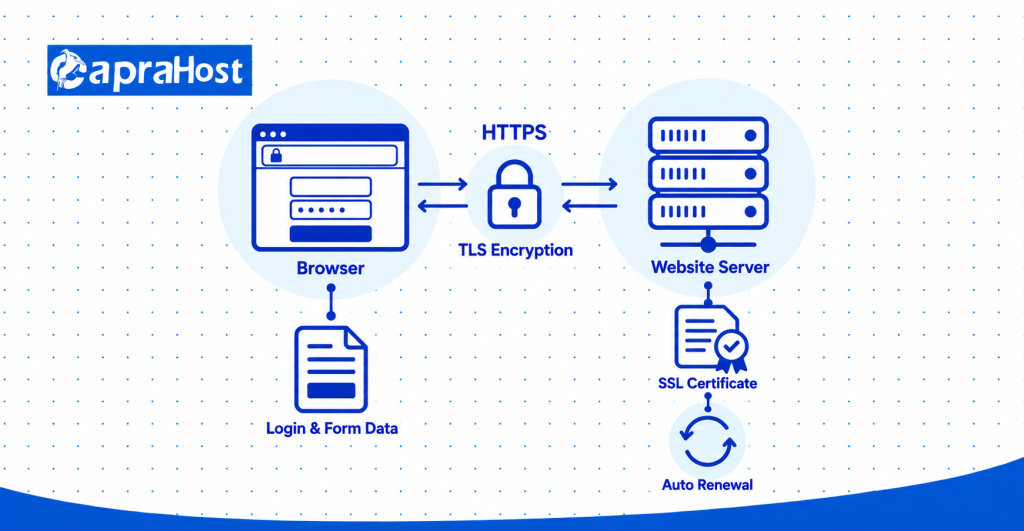
SSL Certificates and HTTPS Encryption
SSL certificates support HTTPS connections that encrypt information transferred between websites and visitors. Modern HTTPS connections use TLS encryption. Encryption helps protect information while it travels across networks.
For example, HTTPS protects transmitted login credentials and contact form information from straightforward interception. It does not eliminate malware infections or insecure application code. Additional safeguards remain necessary.
Check whether your provider includes SSL certificate installation and automatic renewal. Let’s Encrypt offers certificates suitable for many business websites. Choose hosting that supports correctly configured HTTPS without unnecessary additional costs.
Firewalls, Malware Protection, and DDoS Mitigation
A secure hosting environment uses multiple protective measures against unauthorized access and harmful network activity. Each measure addresses a different type of threat. No single security feature provides complete protection.
Network firewalls restrict unwanted connections, while Web Application Firewalls filter malicious website requests. Malware scanning helps identify compromised files, and DDoS mitigation helps manage disruptive traffic.
For example, a Web Application Firewall may block suspicious login attempts against a WordPress website. Regular software updates also help address known vulnerabilities. Confirm which protections are included and which require additional payment.
Automated Backups and Restoration Options
Automated backups create recoverable copies of website files and databases after failures or accidental changes. Backup frequency determines how much recent information may be lost. Restoration capability determines how quickly operations can resume.
For example, a company website may use daily backups retained for 14 days. A store processing transactions throughout the day may require more frequent recovery points. The appropriate schedule depends on business risk.
Recovery Point Objective (RPO) defines acceptable data loss measured in time. Recovery Time Objective (RTO) defines the maximum acceptable restoration period. Both help establish practical backup requirements.
Choose hosting with verified backups, suitable retention, and a clearly documented restoration process.
Security Responsibilities of the Provider and Your Company
Hosting security is a shared responsibility between the provider and the website owner. The exact division depends on the selected hosting service. Clarify these responsibilities before purchasing.
The hosting provider typically manages physical infrastructure and data center security. Customers commonly manage website passwords, user access, and application configurations. Managed services may cover additional maintenance work.
For example, unmanaged VPS customers often handle operating system updates and firewall configuration. Managed VPS providers may perform these tasks under their service agreements. Request written confirmation of included security management services.
Data Protection and Compliance Requirements
Choose hosting that supports the privacy and data protection requirements applicable to your company. These requirements depend on customer locations, business activities, and the information processed.
For example, a company handling EU personal data may have GDPR obligations. Businesses processing payment card information may need to satisfy PCI DSS requirements. Hosting location alone does not establish compliance.
Review data storage locations, encryption, access permissions, and retention policies. Ask for relevant provider documentation when compliance matters. Your hosting plan should support applicable legal and operational responsibilities.
Step 6: Choose the Right Server Location for Your Customers
Choose a server location that delivers acceptable latency to your primary customers and meets data protection requirements. Geographic distance can influence network response times. However, server location is not the only performance factor.
For example, a company serving customers in Germany may compare data centers in Frankfurt and Amsterdam. Network quality and server configuration also affect the result. Test performance before making the final decision.
How Data Center Location Affects Website Latency
Website latency measures the communication delay between a visitor and the hosting server. It is usually measured in milliseconds. Greater distance can increase delay because data must travel through network connections.
For example, a visitor in London may experience different response times from London and Singapore servers. Actual results depend on network routing and congestion. Nearby servers are not always faster under every condition.
Check latency from the countries where most customers live. Choose server locations using measured network performance rather than geographic distance alone.
Local vs. International Server Locations
Local hosting may suit businesses serving nearby customers, while international hosting may suit overseas markets. The correct choice depends on audience distribution and infrastructure quality.
For example, a UK-focused company may choose a London data center. A business serving several European countries could compare London, Amsterdam, and Frankfurt.
Review local data protection obligations and cross-border transfer requirements. Select the location that provides suitable performance and complies with relevant data handling rules.
When a Content Delivery Network Can Help
A Content Delivery Network (CDN) delivers cached website content through geographically distributed servers. This can reduce delivery delays for visitors far from the origin server. CDNs are particularly useful for cacheable website content.
For example, a European company may use a CDN to serve images to Canadian customers. Cached files can travel from a nearer distribution server.
However, personalized account information and checkout operations may still require origin-server processing. Use a CDN when your audience spans multiple regions or your website serves substantial static content.
Step 7: Compare Web Hosting Pricing and Long-Term Value
Compare hosting prices by reviewing introductory rates, renewal costs, additional fees, and total ownership expenses. The lowest advertised rate may not represent the lowest long-term cost.
For example, an unmanaged VPS may appear affordable before accounting for technical administration. A managed plan may include services that would otherwise require additional payment. Compare equivalent capabilities before deciding.
Introductory Prices vs. Renewal Costs
Introductory prices are discounted rates that may increase when the initial billing period ends. Hosting providers commonly offer promotional pricing for longer commitments. Always check the regular renewal price.
For example, a hypothetical plan may cost $4 monthly during its first year and $10 monthly afterward. The first year costs $48, while each following year costs $120.
Over 3 years, the hosting cost reaches $288, averaging $8 monthly. These figures are illustrative rather than current provider quotations. Compare full-term costs instead of relying on introductory advertisements.
Hidden Fees and Additional Hosting Expenses
Additional hosting expenses may include domain renewals, backups, security services, licenses, and server management. Some providers include these features, while others charge separately.
For example, an unmanaged VPS plan may require a paid control panel or external administrator. Website migration and backup restoration may also involve fees.
Review transfer overages, resource upgrades, cancellation rules, and refund eligibility. Ask providers to identify every required recurring and one-time charge before purchasing.
How to Compare the Total Cost of Hosting Plans
Total Cost of Ownership measures hosting charges and necessary operating expenses across the selected period. Use the same comparison period for every provider.
For example, one hypothetical plan may cost $288 over 3 years before additional services. Backups costing $108 and management costing $180 increase its total to $576.
Another plan may include the same services within its quoted price. However, compare performance, resources, and service coverage before deciding. Choose hosting that provides suitable business value at a sustainable total cost.
Step 8: Evaluate Technical Support and Hosting Management
Evaluate hosting support by checking management responsibilities, technical availability, administrative access, and response commitments. These factors determine how problems are handled. They also influence your company’s maintenance workload.
For example, a business without an IT team may need managed VPS hosting. A company with experienced administrators may prefer unmanaged hosting. Neither option is universally suitable.
Managed vs. Unmanaged Hosting: Which Should You Choose?
Choose managed hosting when your company needs assistance with specified server maintenance tasks. Unmanaged hosting suits teams that can configure and maintain their own server environments.
Managed plans may include operating system updates, monitoring, security patches, and technical configuration. Unmanaged VPS customers generally perform these tasks themselves.
For example, a WordPress store without an administrator may benefit from managed hosting. A development company may prefer an unmanaged VPS for software flexibility. Review the management agreement because included services vary between providers.
Why 24/7 Technical Support Matters
24/7 technical support provides access to assistance when problems occur outside normal business hours. This can be important for companies serving international customers.
For example, an online store may experience a payment-related server issue at 2 a.m. Technical assistance can help investigate hosting-related causes.
Check support channels such as live chat, tickets, and telephone assistance. Review response commitments and escalation procedures. Availability alone does not guarantee immediate technical resolution.
Control Panels, Root Access, and Ease of Management
Control panels simplify website administration, while root access provides advanced operating system control. Choose tools that match your company’s technical experience.
For example, cPanel or Plesk may help manage domains, email accounts, databases, and website files. Root access allows administrators to install software and modify server configurations.
Advanced access creates additional security responsibilities. Confirm administrative permissions and control panel licensing before selecting a hosting plan.
Step 9: Make Sure Your Hosting Can Grow With Your Business
Choose hosting that supports resource upgrades, increasing traffic, and changing software requirements. Scalable infrastructure helps your company adjust capacity as demand changes.
For example, an online retailer may require more CPU and memory during promotional campaigns. A suitable hosting plan should provide a practical upgrade path.
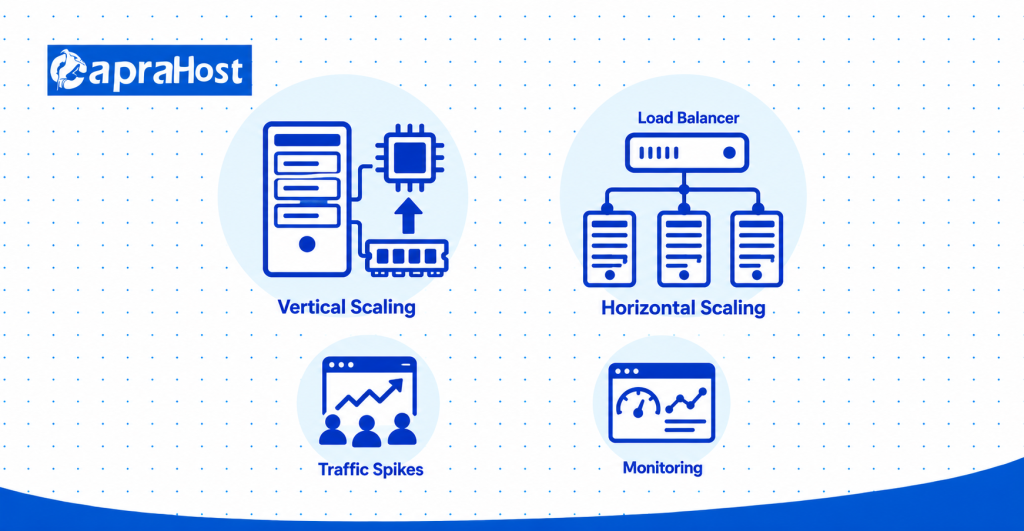
How Hosting Scalability Works
Hosting scalability means increasing or decreasing computing resources according to workload requirements. Vertical scaling increases capacity on an existing server. Horizontal scaling distributes work across additional servers.
For example, upgrading a VPS from 2 vCPUs and 4 GB RAM to 4 vCPUs and 8 GB RAM is vertical scaling. Adding another application server represents horizontal scaling.
Horizontal scaling may require load balancing and suitable application architecture. Choose scalability options that match your technical requirements and budget.
Handling Traffic Spikes and Increasing Server Requirements
Traffic spikes can increase CPU consumption, memory usage, database activity, and network transfer. Insufficient resources may cause slow loading or failed requests.
For example, a store receiving 1,000 daily visitors may receive 5,000 visitors during a sale. Concurrent transactions can increase application demand.
Monitor CPU, RAM, response time, and server errors. Perform load testing before major campaigns. Increase capacity based on expected peak workloads rather than monthly visitor totals alone.
When to Upgrade From Shared Hosting to VPS Hosting
Consider VPS hosting when shared hosting limitations affect performance, software compatibility, or server control. Repeated resource warnings can indicate insufficient capacity.
For example, an online store may exceed shared hosting CPU limits during busy checkout periods. VPS hosting may provide allocated resources and custom configuration options.
However, increasing traffic does not automatically require VPS hosting. Review caching, website optimization, and actual server usage first. Upgrade when monitoring confirms that existing hosting no longer meets business requirements.
When Cloud or Dedicated Hosting May Be Necessary
Cloud hosting may suit changing workloads, while dedicated hosting may suit applications requiring exclusive physical resources. Both options involve additional technical and financial considerations.
For example, an application with irregular demand may benefit from cloud scaling. A specialized business platform may require dedicated hardware.
Compare reliability architecture, administration costs, resource requirements, and future expansion. Choose infrastructure according to demonstrated needs rather than selecting the most expensive option.
How to Evaluate a Web Hosting Provider Before Buying
Evaluate a hosting provider by checking customer reviews, independent performance tests, service policies, and technical support. This helps identify limitations before committing to a contract.
Compare at least 3 providers using the same requirements. Record information about resources, security, pricing, and management responsibilities.
Check Customer Reviews and Provider Reputation
Customer reviews can reveal recurring concerns about uptime, support, billing, and performance. Look for detailed feedback rather than relying only on star ratings.
For example, examine reviews on Trustpilot, G2, and Google Reviews from the previous 6–12 months. Repeated complaints may justify further investigation.
Consider whether the provider responds to documented service issues. Compare patterns across independent sources before making a judgment.
Test Website Speed, Uptime, and Security
Use independent monitoring to evaluate hosting performance when a trial or representative website is available. Testing provides more useful evidence than advertising claims alone.
For example, Google PageSpeed Insights can evaluate page performance, while UptimeRobot can monitor availability. WebPageTest helps examine loading behavior.
SSL Labs can assess HTTPS configuration. Test equivalent website configurations under similar conditions. Use repeated measurements instead of relying on one result.
Review Hosting Policies, Support, and Service Guarantees
Review the provider’s written agreements for uptime, refunds, usage restrictions, backups, and support obligations. These documents clarify what the service includes.
For example, a 99.9% uptime SLA may exclude certain maintenance periods. Some plans may also charge separately for restoration or migration.
Confirm renewal costs and resource upgrade procedures. Choose a provider whose written commitments match your operating requirements.
Ask Important Questions Before Purchasing
Ask your shortlisted provider specific questions about included resources, service management, and long-term costs. Written answers make comparisons easier.
Confirm CPU, RAM, storage, bandwidth, renewal pricing, and uptime guarantees. Ask whether security protection and automated backups are included.
Also verify technical support availability, migration assistance, and upgrade procedures. Do not purchase until essential hosting responsibilities and fees are clear.
Common Mistakes to Avoid When Choosing Web Hosting
Avoid choosing hosting solely by introductory price, advertised resources, or promotional performance claims. These shortcuts can lead to unnecessary expenses and technical problems.
The following 6 mistakes commonly affect hosting decisions. Each can be reduced through comparison, testing, and documented requirements.
Choosing the Cheapest Hosting Plan Without Checking Limitations
A low monthly price may come with restrictive CPU, memory, storage, or usage limits. Those restrictions can affect demanding business applications.
For example, a $3 monthly plan may not support a busy WooCommerce website. Compare actual resources before purchasing.
Ignoring Website Performance and Uptime
Ignoring performance can leave your company with slow loading or recurring website downtime. This can interrupt customer inquiries and online transactions.
For example, an unavailable checkout page prevents purchases during an outage. Check uptime commitments and independent measurements.
Overlooking Security, Backups, and Recovery Options
Inadequate backups and security measures increase the impact of software failures and cyberattacks. A reliable recovery process is essential.
For example, a failed WordPress update may require database restoration. Confirm backup availability and test recovery procedures.
Buying More Server Resources Than Your Business Needs
Excessive CPU, RAM, or storage increases costs without guaranteeing better performance. Application bottlenecks may remain unresolved.
For example, a basic 10-page website may not benefit from a server with 32 GB RAM. Measure resource use before upgrading.
Not Checking Renewal Prices and Technical Support
Ignoring renewal pricing and support coverage can create unexpected operating costs. Promotional rates may increase after the initial term.
For example, a plan increasing from $4 to $12 monthly adds $96 annually. Review billing terms and technical support commitments.
Failing to Plan for Future Business Growth
Hosting without suitable upgrade options can make expansion more difficult. Future resource needs may require an avoidable migration.
For example, a growing store may need additional RAM during seasonal promotions. Check upgrade availability before purchasing.
What to Check Before Migrating to a New Hosting Provider
Before migrating, confirm application compatibility, migration costs, backup integrity, DNS requirements, and rollback procedures. Careful planning reduces disruption during the transfer.
For example, a WordPress store may require additional preparation to preserve customer orders. Test the new environment before directing live traffic.
Website and Application Compatibility
Confirm the new hosting environment supports your operating system, database, and required software versions. Incompatible configurations can cause application failures.
For example, WordPress requires compatible PHP and database software. Custom applications may also depend on particular server modules.
Test the website in the new environment before completing migration.
Migration Assistance and Potential Fees
Check which migration services the provider includes and whether additional charges apply. Website files, databases, and business email may require separate work.
For example, a provider may transfer WordPress files without including email account migration. Request written confirmation of the migration scope.
Data Backups, DNS Changes, and Downtime Prevention
Create and verify a complete backup before modifying hosting configurations or DNS records. Keep the previous server available until migration is verified.
For example, reducing DNS TTL in advance can help updated records propagate sooner. Existing DNS caches may still delay changes.
Plan how to synchronize new orders or customer updates during migration. This is particularly important for active online stores.
Testing the Migrated Website and Preparing a Rollback Plan
Test website functionality before completing migration and prepare a rollback procedure for unexpected failures. Verify important customer-facing functions.
For example, test logins, checkout, contact forms, HTTPS, and email delivery. Confirm database information remains accurate.
Keep verified backups and the previous DNS configuration available. Complete migration only after confirming that the new environment operates correctly.
How to Choose the Best Hosting Plan for Your Company’s Needs
Choose the best hosting plan by matching your website type, workload, technical skills, and long-term budget. Different business websites require different infrastructure.
A basic company website may need shared hosting, while a growing e-commerce platform may benefit from VPS hosting. Custom applications may require cloud or dedicated infrastructure.
Hosting Recommendations Based on Business Type
Hosting recommendations should reflect actual website functionality and resource requirements. Business type provides a starting point, not a universal rule.
For example, a small company website may use shared hosting, while a WordPress blog may prefer managed WordPress services. Growing stores can evaluate managed hosting or VPS plans.
Resource-intensive applications may need VPS, cloud, or dedicated hosting. Confirm each recommendation through application requirements and performance testing.
Small Business and Company Information Websites
Shared hosting may suit small business websites with basic service pages and contact forms. These websites often have modest computing requirements.
For example, a local consulting firm with 10 pages may not require dedicated server resources. Check security, uptime, and support before purchasing.
WordPress Websites and Business Blogs
Managed WordPress hosting may suit businesses seeking simplified updates, caching, and website maintenance. It can reduce routine administrative work.
For example, a company publishing weekly blog posts may prefer managed hosting. Growing WordPress applications may later benefit from VPS resources.
E-commerce Stores and Growing Online Businesses
VPS or suitable managed hosting can support online stores requiring greater resource allocation and configuration flexibility. Checkout activity and database performance are important considerations.
For example, a WooCommerce store may need additional processing capacity during promotions. Prioritize secure transactions, reliable backups, and measured performance.
Custom Applications and Resource-Intensive Websites
VPS, cloud, or dedicated hosting can support custom software requiring advanced configurations. The correct option depends on workload and architecture.
For example, a Node.js application may require root access and a specific database environment. Choose infrastructure that supports its documented technical needs.
Final Web Hosting Selection Checklist
Before purchasing, confirm that the hosting plan meets your company’s performance, security, pricing, and management requirements. Use the same criteria for each shortlisted provider.
Verify CPU, RAM, storage, bandwidth, uptime, HTTPS, backups, server location, and renewal pricing. Also confirm technical support, administrative responsibilities, and upgrade availability.
Compare at least 3 suitable providers. Choose the plan that meets your business requirements without unnecessary restrictions or expenses.
Frequently Asked Questions About Choosing Business Web Hosting
What Type of Web Hosting Is Best for a Small Business?
Shared hosting often suits small business websites with basic functionality and modest resource requirements. Managed WordPress hosting may be appropriate when simplified website administration is important.
A growing business may consider VPS hosting when additional resources or server control become necessary.
Is Shared Hosting Enough for a Company Website?
Shared hosting can be sufficient for a company website containing informational pages, images, and contact forms. Actual suitability depends on resource restrictions and application activity.
For example, a small consulting website may function effectively on a properly configured shared hosting plan.
When Should a Business Upgrade to VPS Hosting?
Consider VPS hosting when shared hosting resource limits, application requirements, or recurring performance problems affect operations. VPS can provide allocated resources and greater configuration control.
Check CPU consumption, memory usage, and application performance before upgrading.
Is VPS Hosting Better Than Cloud Hosting for Businesses?
VPS and cloud hosting serve different business requirements, so neither is universally better. VPS hosting can offer allocated resources and advanced server control.
Cloud hosting may suit flexible infrastructure requirements. Compare application architecture, scaling capabilities, and total costs.
How Much RAM and CPU Does a Business Website Need?
CPU and RAM requirements depend on application complexity, database usage, caching, and simultaneous visitor activity. Visitor counts alone cannot establish server requirements.
For example, 2 vCPUs and 4 GB RAM may serve as a VPS testing configuration for some WordPress workloads. Measure performance before finalizing capacity.
How Much Should a Company Spend on Web Hosting?
A company should budget according to hosting resources, management, security, backups, and long-term costs. The appropriate amount varies by website requirements.
Compare total 3-year expenses rather than introductory rates alone. Include necessary administration and additional services.
Does Web Hosting Affect Website SEO and Loading Speed?
Web hosting can influence website loading speed, availability, and accessibility to search engine crawlers. These factors can affect technical website performance.
However, hosting alone does not determine search rankings. Content quality, website structure, and other SEO factors also matter.
Can I Change My Hosting Provider Without Losing My Website?
Yes, a properly planned migration can preserve website files, databases, and application functionality. Create verified backups before transferring information.
Test the new server, manage DNS changes, and prepare a rollback procedure. Active stores should also protect new customer orders during the transfer.
Conclusion: Choosing Reliable Hosting for Long-Term Business Growth
Choosing the right hosting service requires evaluating website needs, performance, security, pricing, support, and scalability. Your company’s hosting should meet current requirements without unnecessary expenses.
Shared hosting may suit basic company websites, while VPS hosting can support growing applications requiring allocated resources. Cloud and dedicated hosting remain suitable for specific infrastructure requirements.
Compare at least 3 hosting providers using documented service terms and independent performance information. The best hosting plan supports your business website reliably while providing a practical path for future growth.